We Tested 5 GMass Alternatives and Competitors For Sales Outreach

I used GMass for a while.
It did the job.
Easy to set up. Integrated with Gmail. Sent emails without drama.
But as I started ramping up—more contacts, more follow-ups, more volume—stuff started breaking.
Deliverability dropped. Gmail limits got annoying.
I couldn’t set up domains the way I wanted.
And I realized… this tool just wasn’t built for the kind of cold outreach I needed to run.
That’s when I started testing.
Five tools. Real campaigns. No free plans or sandbox tests. Just live emails and actual metrics. While some users look for a free alternative or a free plan, my focus was on tools that deliver real results.
I tracked everything—setup time, reply rates, ease of scaling, inbox health. I also evaluated the key features of each GMass alternative to see which ones truly support effective cold email campaigns.
And what do I find? Let’s just say… There are better GMass alternatives if you’re serious about cold outreach.
If you want to stop wondering whether your emails are even landing, this breakdown will save you time, cash, and your sender reputation.
TL;DR — What I’d Use If I Were You
I ran campaigns with five GMass alternatives.
Some crushed it. Some didn’t.
Here’s the short version:
- Mailforge gives you the cold email infrastructure—domains, DNS, warm-up—so your emails actually land when you start scaling.
- GMass is still solid for basic Gmail users, offering all the features you need at that level. But once you try to scale, it shows cracks.
- Smartlead works great if you’re bootstrapping and need quick warmups + inbox rotation.
- Instantly is smooth, easy to use, and ideal for fast campaign launches.
- Lemlist gives you creative control—visual steps, LinkedIn flows—better for hybrid outreach.
- Reply.io is best for CRM-heavy teams that want structure + tracking.
Why People Start Looking Beyond GMass?
I’ve read dozens of GMass reviews. Most users like it. I did too.
But if you look closely, there’s a pattern—especially once you start sending at scale.
Here’s what stood out:
Deliverability can be a challenge, especially as your volume increases. Many users report issues with emails landing in the spam folder, which can hurt campaign performance. Competitors address this by offering deliverability tools such as spam checking, inbox warm-up, and domain reputation monitoring to help ensure emails reach the inbox and avoid spam folder placement.
But teams? Agencies? Bigger ops? That’s where friction shows up. The tool is primarily designed for individual users, making it less effective for teams that require collaboration and management of multiple accounts.
❌ 1. Gmail is the Strength… and the Limit
Everyone loves how GMass works inside Gmail. It’s easy to set up, has no learning curve, and plugs straight into your inbox.
But that also means: you’re stuck inside Gmail’s limits.

⚠️ 2. Deliverability Gets Tricky
Most folks praised deliverability at first. But a few hinted at issues once their campaigns grew.
Advanced deliverability tools offered by competitors help monitor domain reputation and run spam tests to keep emails out of the spam folder.

Inbox Rotation [Email Rotation]: How it helps in Email Deliverability
🧱 3. There’s No Real Infrastructure Control
If you’re sending high volumes, you need to control your DNS, warmup pace, and sending domains. GMass doesn’t give you that level of backend access.

🧵 4. It’s Great for Simple Sends, Not Scaling Teams
If your workflow is one inbox, one user, GMass is perfect.
But teams? Agencies? Bigger ops? That’s where friction shows up.

GMass is solid, especially if you’re running lean, inside Gmail, and sending light.
But when I started ramping up, it became clear: it’s not built for scale, infrastructure, or full control.
That’s why I went looking for GMass alternatives.
How I Tested These Tools (So You Know It’s Real)
This wasn’t some fake demo or test inside a sandbox.
I ran actual cold email campaigns — the same way most of us do in real life.
Here’s how I set it up:
I tracked everything—setup time, reply rates, ease of scaling, inbox health. I also used advanced analytics and generated a detailed report to compare the performance of each tool.
✅ I Used the Same List, Same Leads, Same Industry
I picked a B2B SaaS list.
All leads were decision-makers — same ICP across the board.
Each tool got the same data, the same number of contacts, and the same message.
📬 I Sent Real Campaigns Over 4 Weeks
This wasn’t just a one-day test.
I ran campaigns for 4 full weeks.
Every tool was used live — nothing was run in isolation.
📊 I Tracked 4 Things That Actually Matter
Here’s what I measured across all tools:
- Deliverability — Did the emails land in inboxes or spam?
- Reply Rate — How many people actually responded? I also tracked response rates and used advanced analytics to assess campaign effectiveness and optimize performance.
- Ease of Setup — How long did it take to get running?
- Support — If things broke, how fast could I fix it?
That’s how I know what actually works—and what doesn’t.
🔄 Side-by-Side: GMass vs These 5 Alternatives
When choosing the best GMass alternatives, focus on key features like robust mail merge capabilities, flexible sending limits, support for multiple accounts, the ability to manage multiple inboxes, and strong team collaboration features. These functionalities are essential for scaling campaigns, improving deliverability, and enabling efficient teamwork, especially for agencies and larger teams.
🧩 Top 5 GMass Alternatives
- Mailforge
- Smartlead
- Instantly
- Lemlist
- Reply.io
🔧 Mailforge — The Cold Email Setup GMass Can’t Give You
Let’s keep it simple:
If GMass helps you send emails…
Mailforge helps make sure they land.
Mailforge is a strong alternative to GMass. Unlike GMass, which is primarily an email outreach tool, Mailforge focuses on the infrastructure that ensures your emails reach the inbox.
Mailforge isn’t just another “cold email tool.” It integrates with leading email outreach tools to complete your cold email stack.
Mailforge is the email infrastructure behind cold outreach — and yeah, that matters a lot if you’re sending serious volume.
🧩 What Is Mailforge?
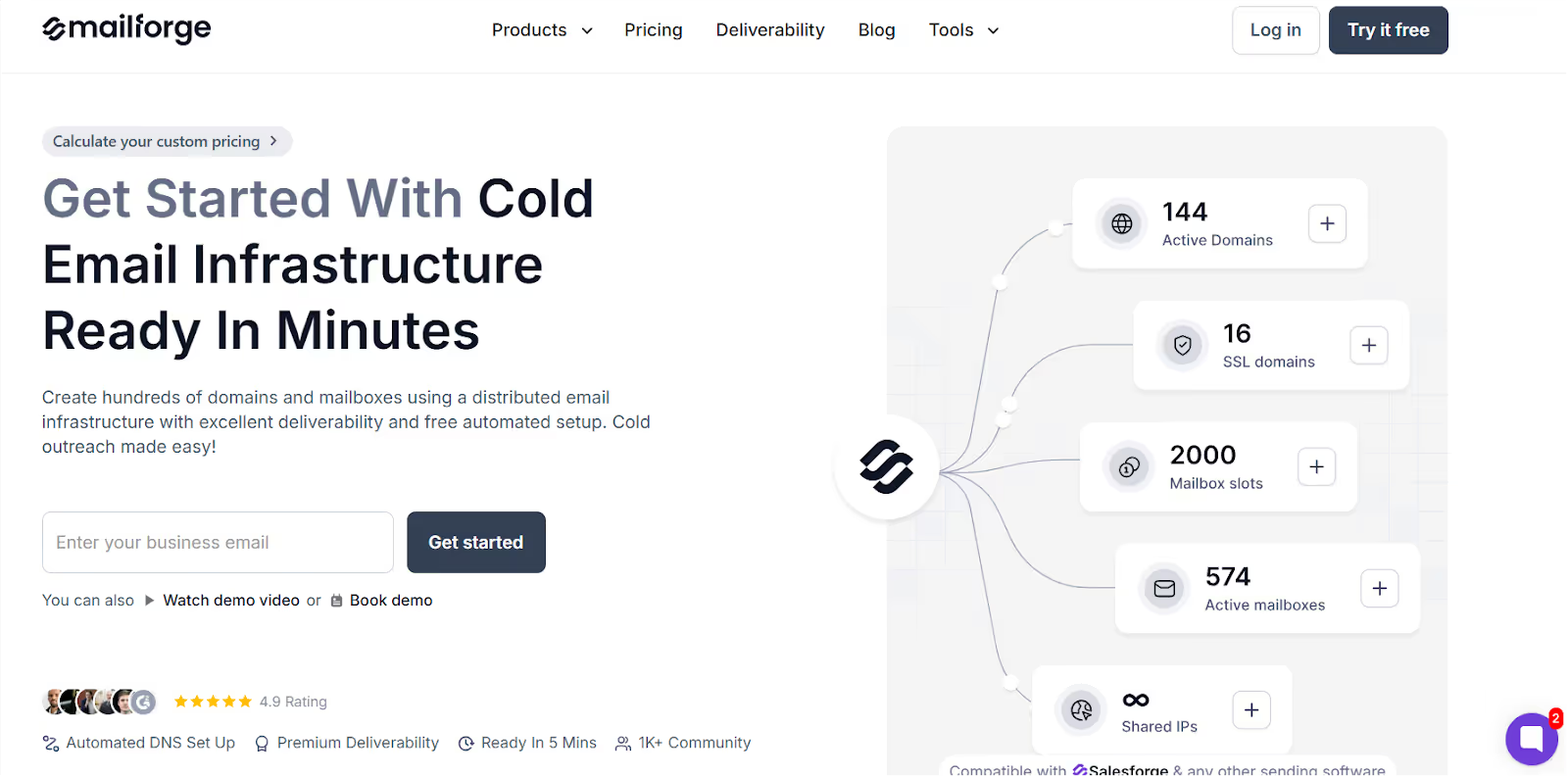
Mailforge is where you set up all the back-end stuff you usually don’t think about —
like domains, mailboxes, DNS, SPF, DKIM, all that techy deliverability stuff…
Except here, it takes 5 minutes.
I used it to spin up 5 domains + 5 mailboxes in under 10 minutes.
Everything was automated. Zero headaches. No manual steps.
Mailforge also offers unlimited email warm up and actively monitors your domain reputation to ensure high deliverability and keep your emails out of spam.
🚀 Why It’s One of the Best GMass Alternatives?
Here’s what I liked:
- It automatically sets up your email domains the right way
- Emails landed in inboxes, not spam
- Support was insanely fast (I’m talking Slack replies in under 5 minutes)
- It’s built for scaling cold outreach, not casual use
Mailforge allows users to run cold outreach campaigns effortlessly by eliminating the need for multiple tools and manual setup, making cold email campaigns easy to launch and manage from a single platform.
“Used Google Workspace before. Switched to Mailforge. Better results, instantly.” – Isabella L.
“What took hours before now takes minutes.” – Karlo Binda
✅ GMass vs Mailforge
✅ Best For:
- Founders who want to scale cold email
- Sales teams are tired of Gmail limits
- Agencies that need control over the setup
- Anyone getting flagged or landing in spam
What does Mailforge not do?
Mailforge doesn’t send the emails.
You still need to plug it into a tool like Salesforge, Instantly, or Smartlead.
But if you don’t fix your email setup first,
Nothing else you plug in is going to work anyway.
💰 Mailforge Pricing
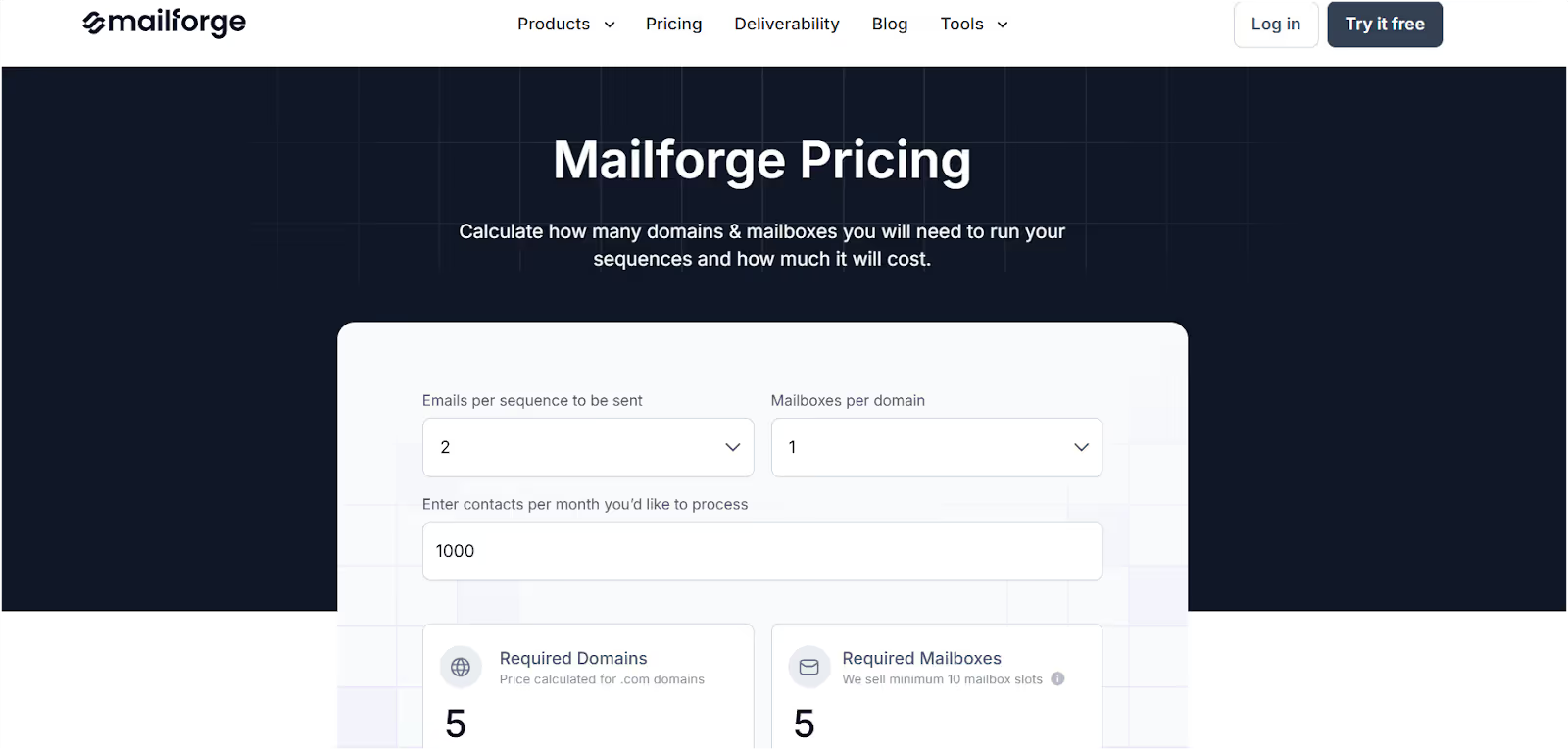
- ~$70/year for 5 domains
- ~$13/month per mailbox (or $15 if billed monthly)
- SSL + domain masking = optional add-on ($2/mo per domain)
Way cheaper than using Gmail or Outlook if you're doing this at scale.
If you’re sending 20 emails a week, GMass is fine.
But if you’re doing real cold outreach — and want inbox delivery that works at scale —
Mailforge is the cold email setup you need.
This is the kind of tool you build on.
Smartlead.ai — A GMass Alternative That's Built for Sending at Scale with Multiple Email Accounts
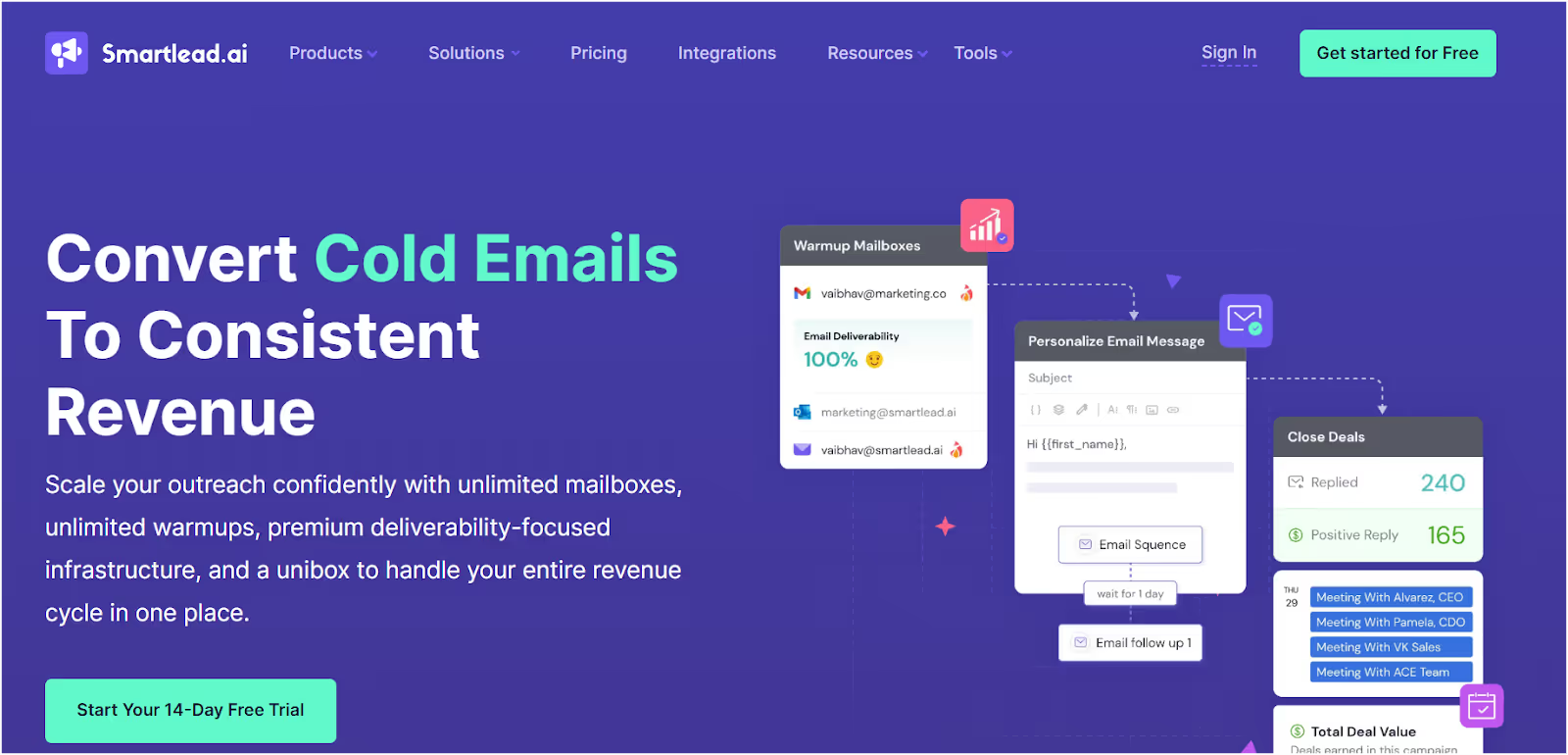
If you already have leads and want to send a lot of cold emails—fast—Smartlead does exactly that.
Smartlead is designed for managing large-scale outreach campaigns, allowing you to send personalized emails and set up automated follow ups to boost engagement and response rates.
No built-in lead finder. No domain setup. Note: Email verification is not included, so you’ll need a separate tool to ensure deliverability and reduce bounce rates.
But when it comes to high-volume outreach with automation, it delivers.
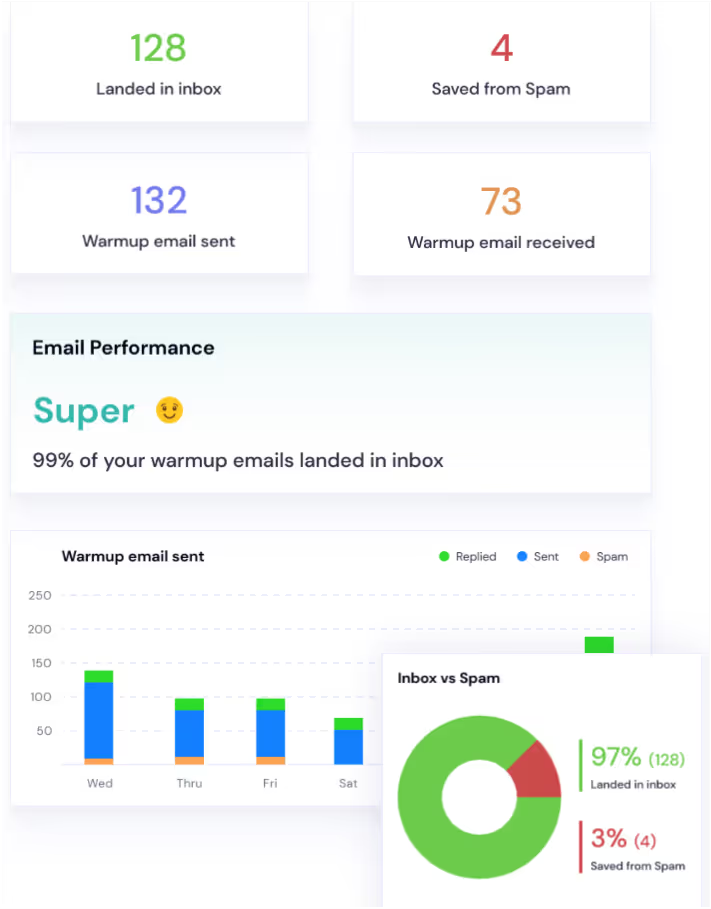
Here’s how it's up in My Testing
- Deliverability: Solid with warmup turned on
- Reply Rate: Decent — auto-filters help you stay on top
- Ease of Setup: Took about 10 minutes; interface isn’t fancy
- Support: Not instant, but it gets the job done
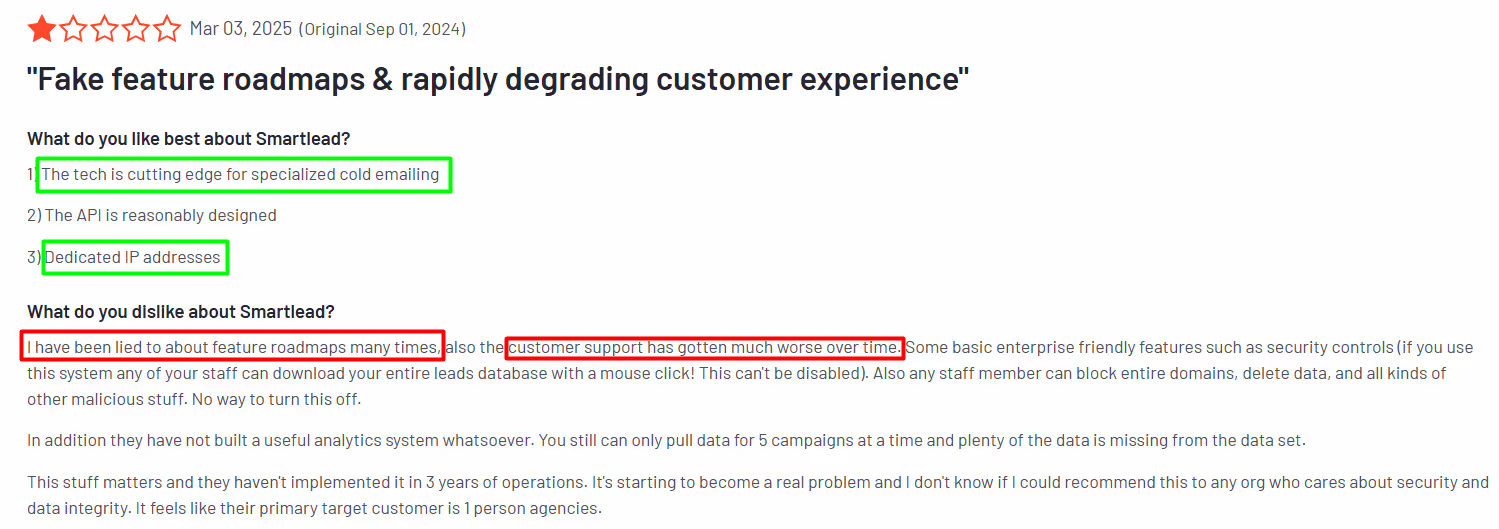
✅ What Smartlead Does Best
- Unlimited mailboxes — no per-user pricing headaches
- Built-in warmup for all your inboxes
- Works across email, SMS, WhatsApp, and Twitter
- Smart follow-ups fire off based on reply behavior
- Automated follow ups with customizable triggers and scheduling to boost response rates
- Send personalized emails to increase engagement and tailor your outreach
- Unified inbox to manage replies in one clean view
You don’t need 5 tabs open just to send and follow up.
✅ Smartlead vs GMass
🧠 Best For
- Solo founders or SDRs with lead lists
- Agencies juggling multiple clients
- Teams that want to send power without manual work
If you’ve already got the data, Smartlead makes scaling easy.
And if you don’t?
Leadsforge is a good match to pair with Smartlead — it helps you build lead lists fast, no scraping scripts needed.
⚠️ What Could Be Better in Smartlead.ai?
- No lead generation or enrichment built in
- UI feels a little laggy at times
- Support isn’t 24/7 (but they try)
You’ll want to use it with other tools if you're doing full-stack outreach.
💰 Smartlead Pricing

- Basic – $39/month (6K emails)
- Pro – $94/month (150K emails)
- Custom Plan - $174/month onwards
All tiers include warmup + unlimited sending inboxes.
Smartlead is a real GMass alternative when your goal is to send more cold emails with less hands-on work.
It won’t find your leads or set up your domains — but it will get your messages out fast, keep replies organized, and help you automate your follow-up game.
If you’ve got your list ready (or using something like Leadsforge), Smartlead is ready to fire.
Instantly.ai — A GMass Alternative Built for Volume

If your only goal is to get in front of as many leads as possible — and fast, Instantly makes it simple.
Instantly is built for sending mass emails, supports unlimited email accounts for easy management of multiple campaigns, and automates cold email sequences for high-volume outreach.
You don’t get deep personalization or fancy workflows.
But if all you care about is sending cold emails at scale, it does the job.
⚙️ How It Performed in My Test?
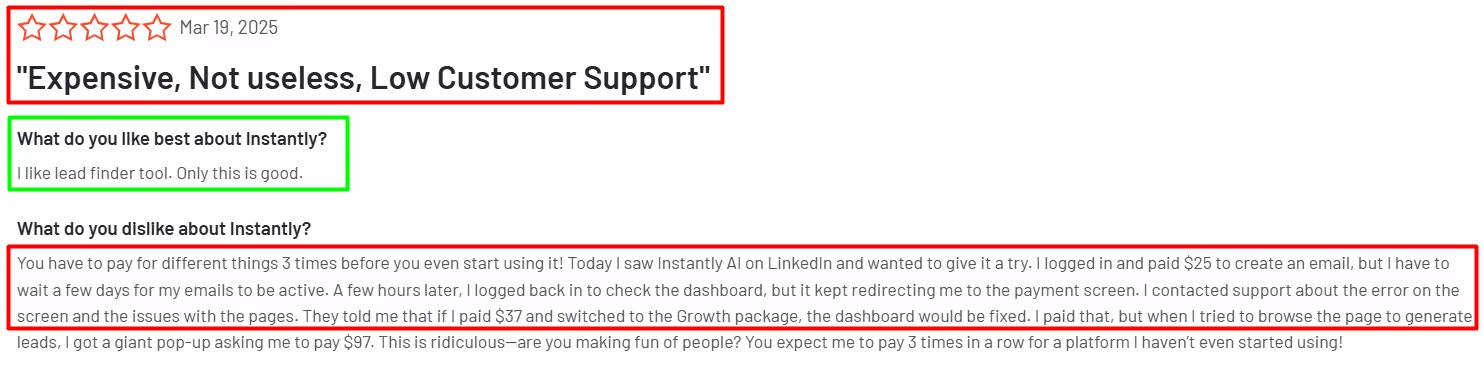
- Deliverability: Solid with warmup turned on
- Reply Rate: Decent, depends on your copy
- Ease of Setup: Very fast — up and running in under 10 mins
- Support: Responsive and helpful for most use cases
It’s a “plug-and-play” tool that doesn’t ask for much setup.
✅ What Instantly Does Well?
- Built-in B2B contact database (huge time-saver)
- Unlimited warmup across inboxes
- AI CRM organizes all replies in one view
- Easy-to-build follow-up sequences
- Great for running multi-mailbox campaigns at scale
- Consolidates features that would otherwise require multiple tools or subscriptions (outreach, warm-up, tracking, CRM) into a single platform
✅ Instantly vs GMass
Basically, if you’ve got a list (or use their database), Instantly gets you sending fast.
🎯 Who is It Best For?
- Solo founders or SDRs who want quick sending power
- Agencies managing outreach for clients
- Small teams that don’t want to stitch tools together
Instantly is all about volume and speed, not finesse or complex setups.
⚠️ What You Might Not Love about Instantly.ai?
- Targeting filters are basic — expect to clean up leads manually
- No deep personalization options
- It might feel heavy if you only send a few hundred emails/month
It’s a “send big, send often” kind of platform — not great for surgical campaigns.
💰 Instantly.ai Pricing
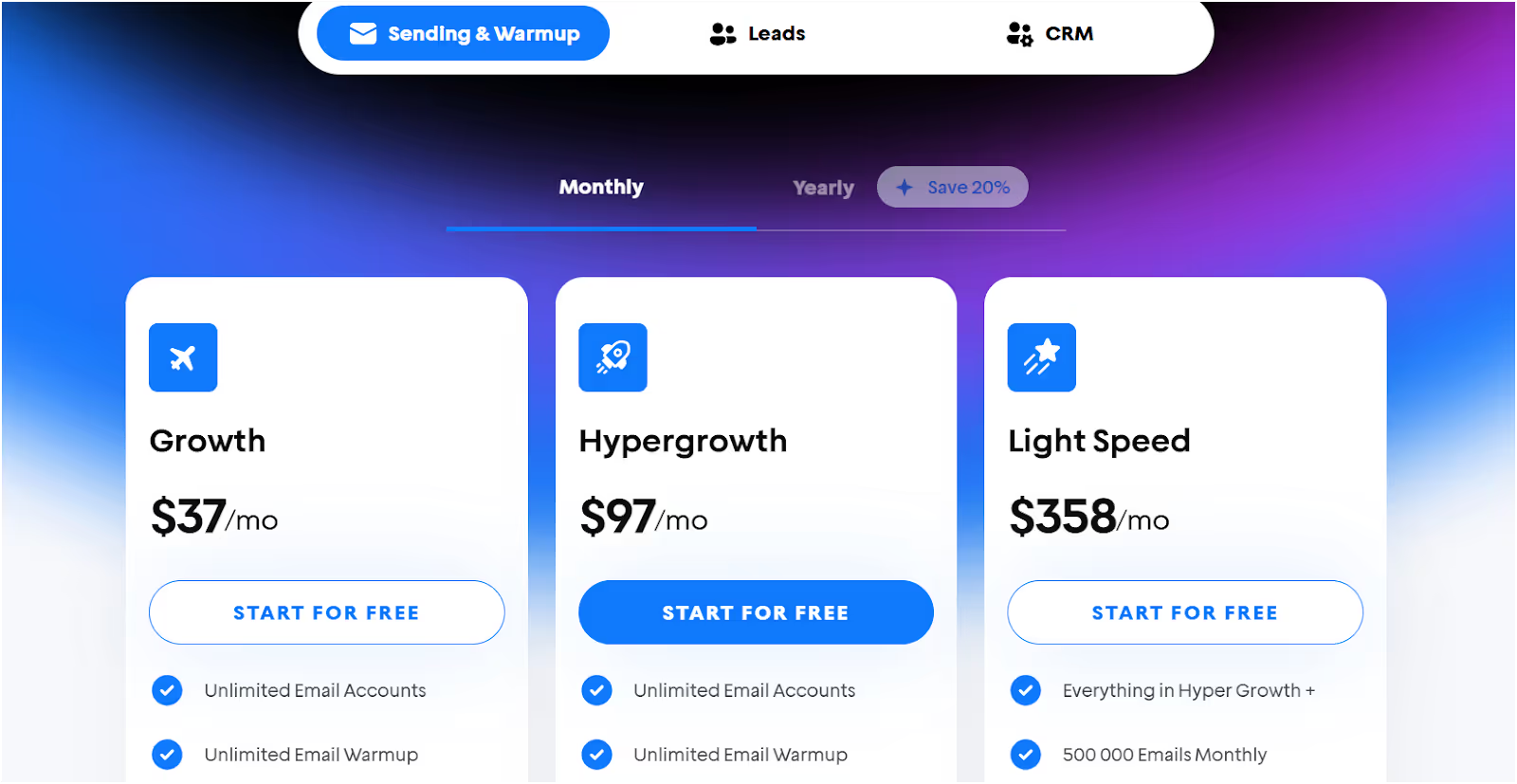
- Growth – $37/month (1K contacts / 5K emails)
- Hypergrowth – $97/month (25K contacts / 100K emails)
- Light Speed – $358/month (100K contacts / 500K emails)
- Enterprise – Custom (for high-volume pros)
Note: Instantly does not offer a free plan or a true free alternative—there is no free tier, only paid plans. In comparison, some GMass alternatives provide a free plan with limited features, but Instantly focuses on premium features for serious senders. Regarding sending limits, Instantly allows higher daily sending limits than GMass by supporting multi-account rotation and third-party SMTP integration, making it suitable for high-volume campaigns.
All plans include warmup and database access — solid value if you send at scale.
Instantly is a reliable GMass alternative when you’re focused on speed, scale, and simplicity.
It’s not trying to be your CRM, enrichment tool, or workflow builder.
It’s just here to send more emails, get more replies, and do it with as little friction as possible.
Want clean UI, fast setup, and emails that actually land?
Instantly does exactly that.
Instantly.ai vs. Salesforge
Lemlist — A GMass Alternative That Feels Human, Not Spammy
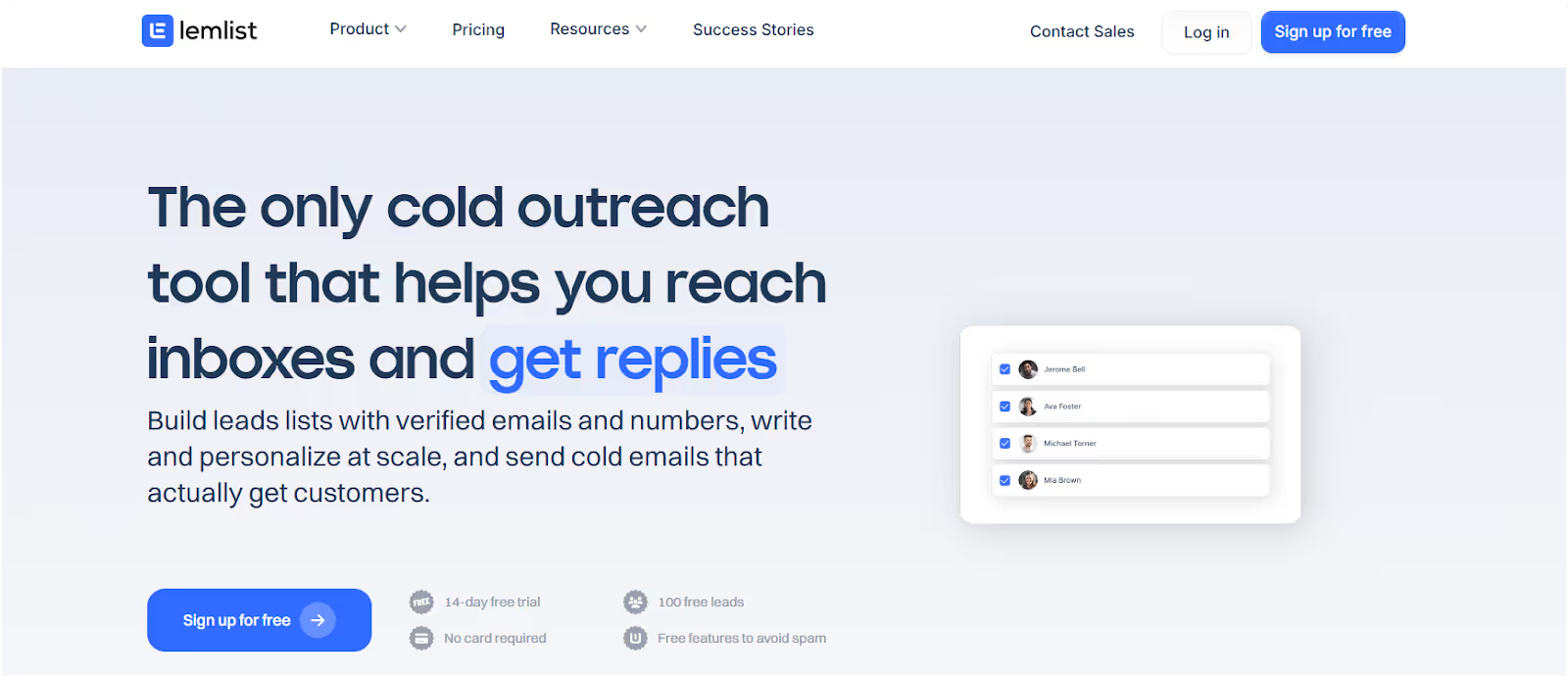
If your cold emails feel like they’re getting ignored, Lemlist helps you stand out — not with volume, but with personality.
Lemlist is not just for cold outreach; it also supports email marketing and can function as a sales engagement platform, though it's not designed for traditional marketing emails.
You’re not just sending plain text. You’re sending GIFs, images, even videos — stuff people might actually respond to.
How Lemlist Performed in My Testing?
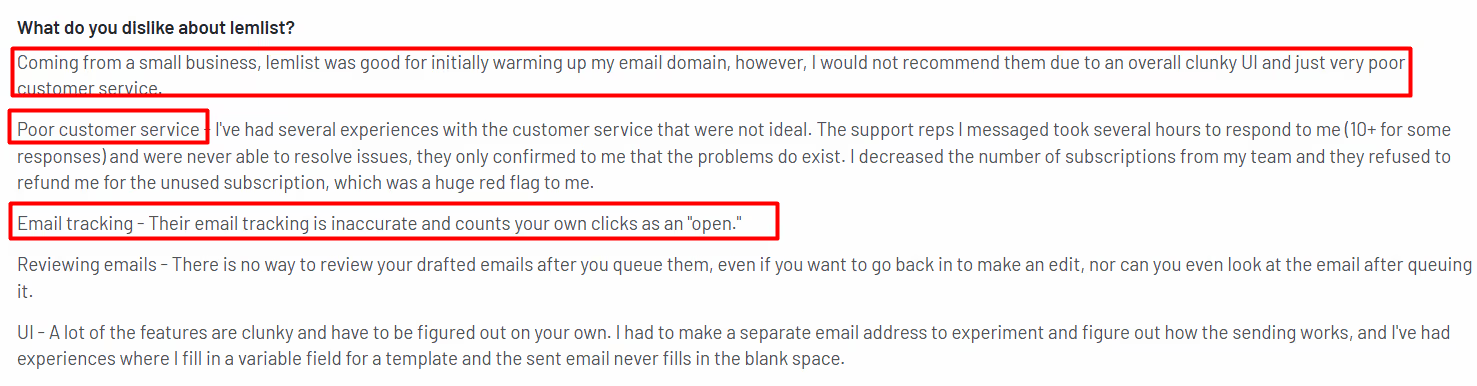
- Deliverability: Good with warmup on, but images can hurt inbox placement if overused
- Reply Rate: Higher for creative campaigns
- Ease of Setup: Easy for email-only; multichannel takes time to learn
- Support: Not the fastest, and refund policy isn’t flexible
Not the fastest to master, but powerful once you do.
✅ What Lemlist Does Best
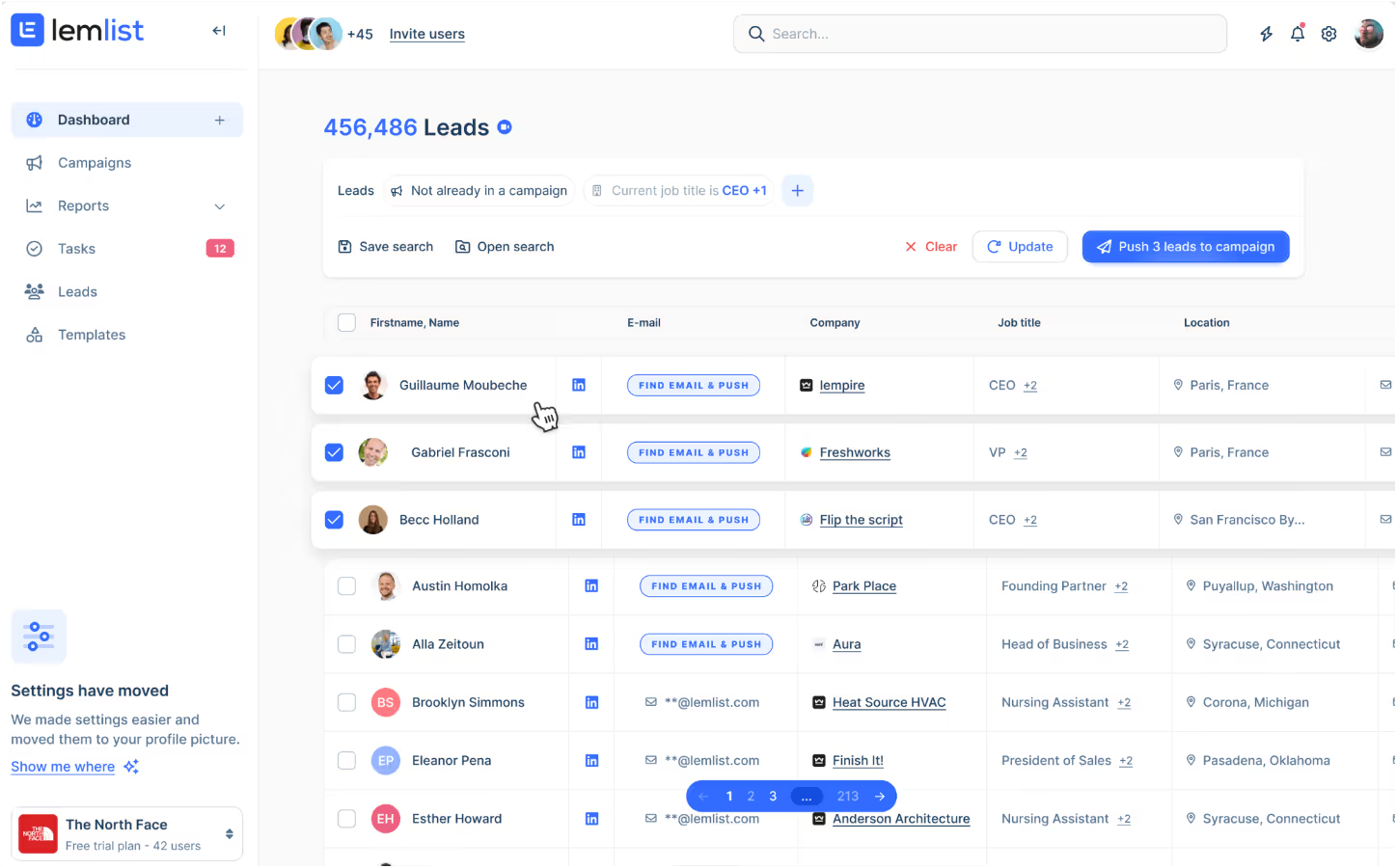
- Add personalized images, videos, and GIFs
- Run multichannel sequences — email, LinkedIn, even calls
- Built-in warmup for inbox protection
- Templates for fast campaign launches
- Lead database and verification built in
- Built-in email verification and spam test features for high deliverability
You’re not just sending — you’re building mini-campaigns that look and feel different.
🎯 Who It’s Best For
- Agencies doing personalized outreach at scale
- SDRs who want more than just “Hey {{first_name}}”
- Teams that already know what multichannel outreach is
If you’re doing high-touch sales or recruiting, Lemlist helps you show up better in the inbox and on LinkedIn.
✅ Lemlist vs GMass
⚠️ What’s Not Ideal
- No AI to help write copy — you’re on your own
- Some users reported fake opens or buggy tracking
- Bit of a learning curve for multichannel flows
- Support can feel rigid — especially on refunds
So yeah, not great for cold email beginners.
💰 Lemlist Pricing

- Email Pro – $69/month (3 emails, warmup, A/B testing)
- Multichannel Expert – $99/month (adds LinkedIn + calls)
- Enterprise – Custom pricing
You get a 14-day free trial to play around before committing. While Lemlist does not offer a permanent free plan, the free trial lets you test all features before paying. If you are looking for a free alternative to GMass, Lemlist may not be the best fit long-term, but the trial is a good way to evaluate if it meets your needs.
Lemlist isn’t built for brute-force sending.
It’s for standing out.
If you want more replies from fewer emails, and you’re willing to invest time into personalization — Lemlist is a great GMass alternative to try.
But if you just want to load a CSV and hit send?
This probably isn’t the one for you.
Reply.io — Best GMass Alternative If You Want Full Multichannel Control

If cold email is just one part of how you do outreach, Reply.io gives you the rest.
Reply.io stands out as a sales engagement platform with advanced automation and robust team collaboration features, making it ideal for sales teams managing multi-channel campaigns.
Email. LinkedIn. SMS. Even voice.
It ties everything into one dashboard, so you don’t have to juggle 4 tools and 12 tabs.
⚙️ How It Performed in My Test

- Deliverability: Solid (with warm-up), but LinkedIn needs careful pacing
- Reply Rate: Higher for multichannel flows
- Ease of Setup: Takes time — not plug-and-play
- Support: Decent, but slow during peak hours
If you’re new to multichannel tools, there’s a learning curve. But once you figure it out, it’s powerful.
✅ What Reply.io Does Well
- Combine email + LinkedIn + SMS + voice into one flow
- Advanced automation for sales outreach, including AI-driven sequences and behavioral triggers
- Team collaboration features for managing and coordinating campaigns
- Auto-follow-ups based on open/click/reply
- Syncs with Salesforce, HubSpot, Pipedrive
- Built-in A/B testing and analytics
- AI tools for writing cold emails (as add-ons)
It’s less of a sender, more of a complete engagement system.
GMass vs Reply.io
🎯 Who It’s Best For
- SDR teams running high-volume outbound
- Agencies juggling multiple clients
- Teams using Sales Navigator who want email/SMS to follow up
- Sales leads who want analytics on what’s actually working
If your sales process spans multiple channels, Reply.io simplifies the chaos.
⚠️ Where It Falls Short
- The UI feels cluttered, especially for new users
- LinkedIn automation can be risky if not throttled right
- Support isn’t lightning-fast
- Some users report bugs in scheduling and sync
So yeah — powerful, but not beginner-friendly.
💰 Reply.io Pricing
Reply.io starts at $59/month if you just want cold emails with basic warm-up.
If you want to add LinkedIn steps, SMS, and multiple inboxes, that jumps to around $99/month per user.
Agencies who manage lots of clients will want the $160+ plan, which unlocks higher volume, dashboards, and extra features.
And if you want the AI writing tools or LinkedIn automation, those are paid add-ons.
So yeah—you'll pay more than GMass. But you also get a lot more control.
Reply.io is for people doing serious outbound — and doing it across multiple channels.
It's not for beginners.
It's not for people who just want to “send a few cold emails.”
But if your team needs visibility, analytics, and one system to run it all — it's a solid GMass alternative to check out.
How to Choose the Right Tool (Without Wasting Weeks Testing)
Here’s how I’d break it down:
- If you’re scaling fast and tired of deliverability issues → You need real infrastructure. Not another Gmail band-aid. (Go with something like Mailforge). Tools like this are built for managing high-volume cold outreach campaigns and robust email outreach, ensuring your messages land in inboxes and not spam.
- If you’re just getting started and want something quick that works → Smartlead or Instantly are solid out of the box. Easy setup. Gets the job done for basic email marketing and smaller-scale cold outreach campaigns.
- If you want to stand out in the inbox and send fun, visual stuff → Lemlist lets you add images, gifs, LinkedIn steps, even calls. Feels more personal, less “cold.” Great for personalized email outreach.
- If your team runs big outbound plays and you live in Salesforce or HubSpot → Reply.io gives you full control over workflows and data. It’s a sales machine—just needs time to learn. Perfect for advanced email outreach and managing complex cold outreach campaigns.
- Still stuck in Gmail? Look, GMass works. But only to a point. Once you need scale, tracking, and real control… you’ll outgrow it.
Some tools are better suited for traditional email marketing, while others excel at email outreach and handling large-scale cold outreach campaigns. Consider your main strategy before choosing.
Final Verdict: What Worked Best (and Why)
After weeks of testing, here’s what actually matters:
- Deliverability beats everything. If your emails don’t land, nothing else matters.
- Scale needs setup. Gmail tools are great starters—but they don’t scale without cracks.
- Multichannel isn’t optional anymore. Email alone is fine, but serious teams need more touchpoints.
- Speed matters. You want tools that help you move faster, not slow you down with technical blockers.
- Support makes a difference. When something breaks mid-campaign, fast help is underrated.
- Personalized emails and cold email sequences drive results. Platforms that enable you to automate and personalize cold email sequences tend to achieve higher response rates, making your outreach more effective.
So yeah, tools like Smartlead, Instantly, Lemlist, and Reply.io all bring something to the table.
But if you’re building a serious outbound engine, you need a strong foundation—not just another sender.
💡 Pro Tip:
Before you obsess over copy, open rates, or tools—fix your email infrastructure.
📬 I used Mailforge to spin up domains, automate DNS, and keep inboxes clean. It’s simple, fast, and works with any sender.
👉 Try Mailforge Free — it’s the setup I wish I had when I started scaling cold email.
Because great outreach starts before you hit send.
.png)

.png)
.png)